Computer Repair Services Singapore

  • Home
  • About Us
  • Our Services
    • PC Computer Repair
    • Laptop Notebook Repair
    • MacBook Pro Repair
    • Data Recovery Services
  • Why Us
  • Blog
  • Contact Us

October 27, 2014 By William Choy

How to maintain Computer on Windows System

Computer windows are a major part of computer repair and without windows repair, a computer repairing procedure will never be successful as you will have no operating system to function on or work with.

Computer windows are extremely delicate and sensitive as a random file deletion can ruin or jeopardize entire computer operating procedures and end up ruining your computer for at least a couple of days. To overcome such a situation, this manual will help guide you through the basics about what it takes to maintain your windows and keep it away from malfunctioning.

1) Check daily updates
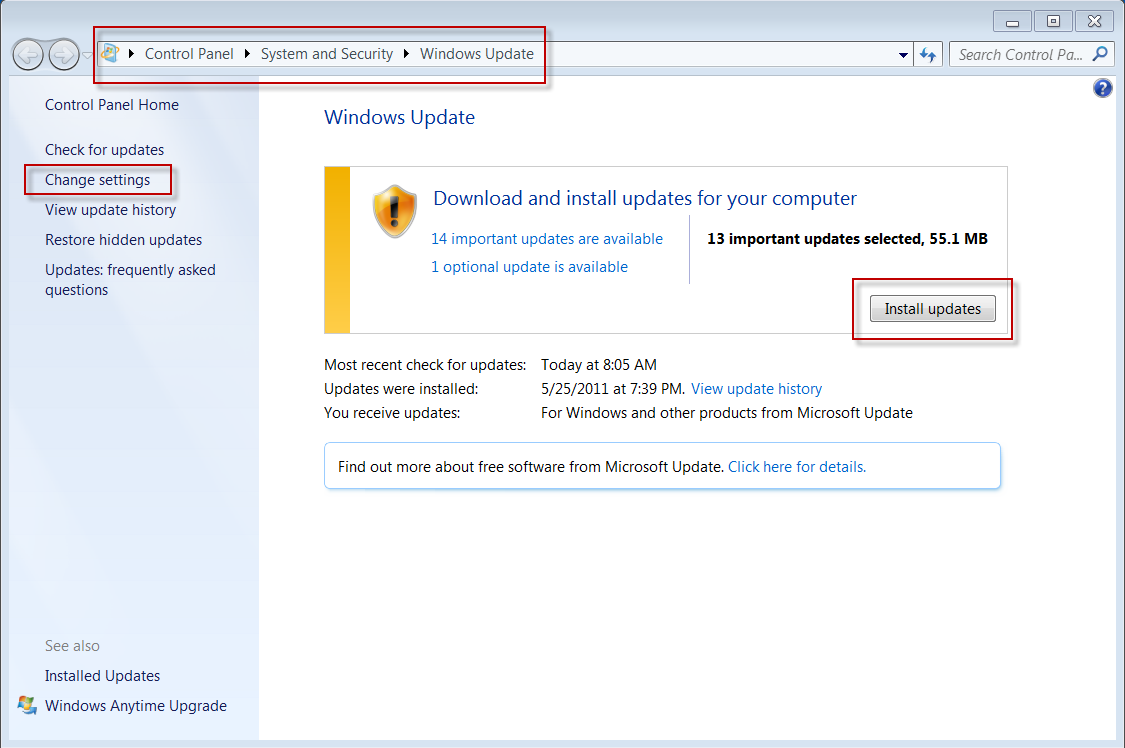
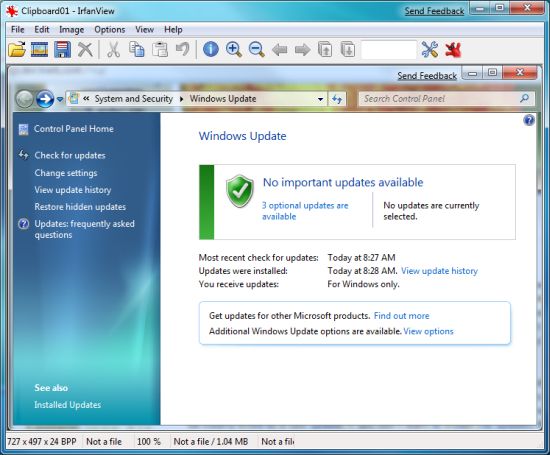
How to maintain Computer on Windows SystemIt is extremely essential that you check for daily updates in regard to your windows as these will update all drivers that come pre-installed with your original windows. This procedure helps in rectifying all old drivers and reducing the risk of a windows blackout or corrupted windows completely. This method also helps in achieving the goal of maintaining your computer efficiently and engaging in optimum processing speeds that will comfort you to the core.

2) Keep track of your firewall
How to maintain Computer on Windows System 2A windows firewall comes pre-installed with every windows that a user installs on his computer or laptop. The firewall enables you to avoid third party interferences and viral websites that could harm your windows as a whole. The firewall also helps maintain your computer properly by blocking interaction from unwanted pop ups, other computer users and reducing installed software activities on their own behalf.

3) Add Anti-Virus software and keep it updated
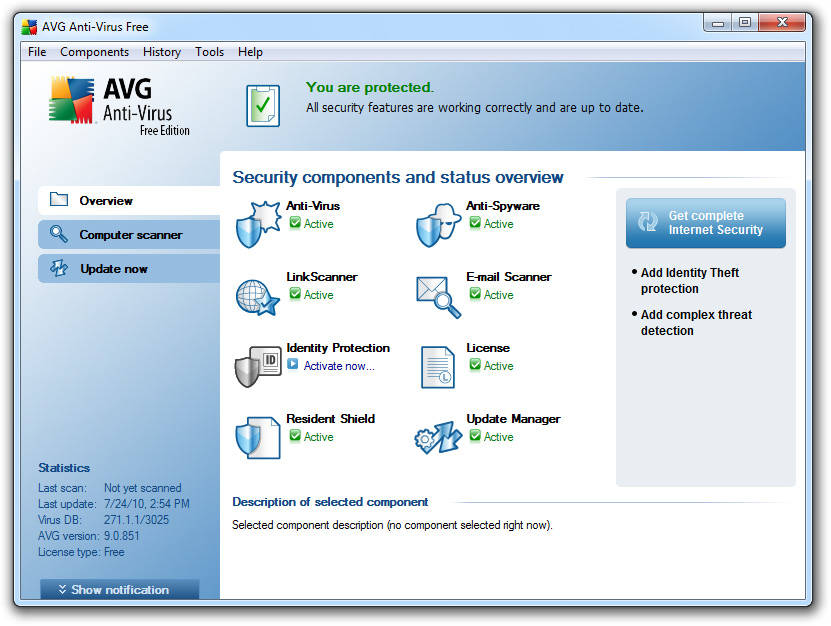
How to maintain Computer on Windows System 3Anti-Virus software is of the utmost importance when it comes to computer protection as it is essentially a blockhead for any type of malware or spyware that may try to enter your windows through harmless files that you usually download from the internet. Installing an anti-virus also helps in reaffirming your windows from being overloaded with viruses such as Trojan horse and win32 applications that usually gain access to a computer from hardware like usb drives and flash drives as well as mobile phones and tablets. Updating an anti-virus will definitely make life easier for you as updated anti-virus software always upload and equip themselves with new coding and programming that enables them to effectively remove any advanced technological virus or manipulation seeding program that may have infiltrated your computer windows. With such software you can save on expensive computer repair, laptop repair and also data recovery services if data is damage.

BytesPC handles various kinds of computer repair services in Singapore so contact us now for a quote right away.
Filed Under: Computer Maintenance

October 20, 2014 By William Choy

How to maintain computer performance

Computer performance is essential for every computer user and it is his duty to pay attention towards his computer’s performance level as well as understand any changes that occur in the computer performance, especially deteriorated performance levels compared to earlier performance levels. Such monitoring helps in identifying harmful aspects that need to be corrected inside your PC or motherboard so that the system doesn’t malfunction from excess overheating. Such cases could ruin the motherboard of a computer system and in turn, cause the system to stop working at all.

As well as overheating, other aspects that can cause harm to your computer’s performance are viruses like spyware and malware as well as low disk space that can cause the hard drive to function improperly. The steps given in brief detail below will allow you to understand how you can keep your computer performance working effectively and how you can boost the performance through various ways.

1) Regular dust blowing procedures on system’s mother board.

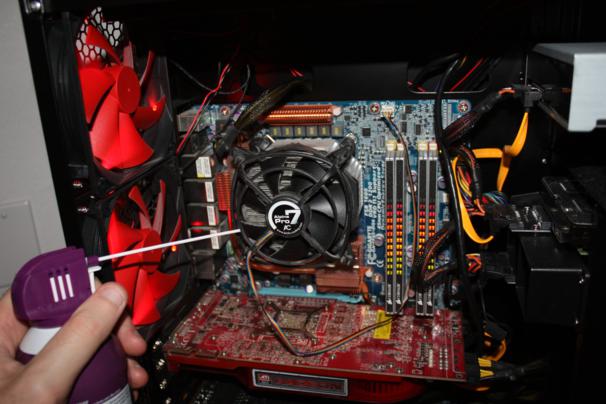
How to Maintain Computer PerformanceThis method is the basic procedure used in most computer repair services so as to make sure that the system is clean and ready to function at given commands from the user. This procedure cleans up any dust that has gathered around the hard disk, ROM, ram or the processor itself as well as tiny ICU chips, which basically transfer the information from one juncture to the other, in full, processing whatever you input into the computer.

2) Add anti viruses for protection from viruses.

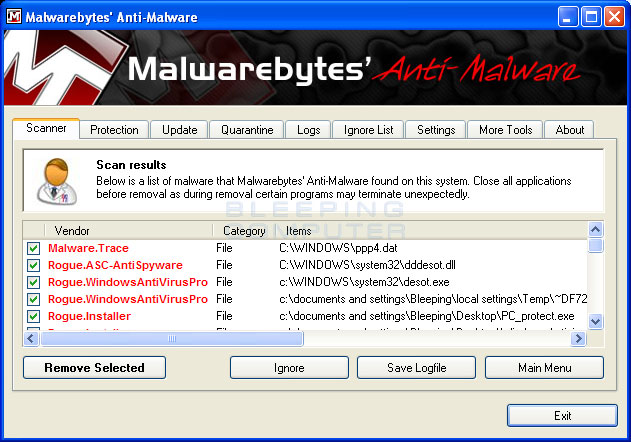
How to Maintain Computer Performance 2Viruses like malware and spyware usually access your system through downloaded files that are encoded with such software in order to ruin your operating system and invade technical areas of your computer. This decreases computer performance efficiently and this is one reason why your computer may begin to hang from time to time as well as fail to open files or browse as quick as it used to. Such methods are usually blocked, while a laptop repair is in process, by installing legit anti-virus software that quarantine and remove any detected malware or spyware for that matter. This, in turn, boosts computer performance to the same level as it used to be before the virus accessed the computer.

3) Update all drivers and firmware on your computer regularly.

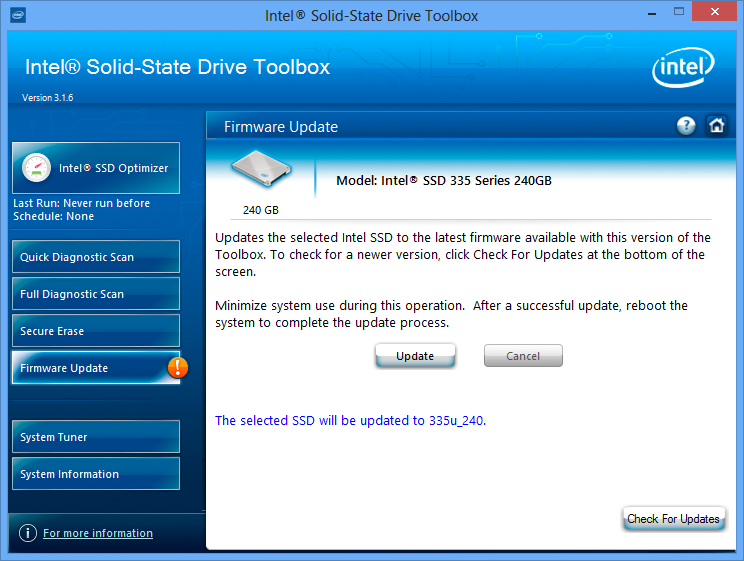
How to Maintain Computer Performance 3Updating firmware and device drivers is quite easy since their updating procedures are readily available and literally a click away from the control panel. This driver updates allow all your devices installed in the computer to provide as well as boost performance rather than decrease it. These software updates also allow old malware to become defunct and unless you don’t have an anti-virus installed, no new viruses can access or corrupt your newly updated drivers.

If you are looking for someone for Computer repair and even MacBook Pro repair, contact BytesPC right away and let us solve your problem.

Filed Under: Computer Maintenance

October 15, 2014 By William Choy

How to boost quality maintenance in your PC

It is already hard for many users to maintain their PC and often, they have to take their systems for a PC repair. However, if you are careful enough, not only can you maintain your PC on a daily basis, but you can also boost its maintenance from time to time and receive performance levels that are beyond imagination as well as enhance visualizations on your PC. The steps described below will tell you exactly how you can maintain your PC. You can then avoid doing a laptop repair, Macbook Pro repair, Computer repair, Data recovery Services and boost the maintenance which is definitely a bonus.

1) Keep the windows updated
windows update

Window where the software is installed. Whatever you install gets stored in your window and if your window gets corrupted, your system fails to respond at all, deleting most f the information that is stored in your windows as well. One way to maintain your PC is to store all installed files in drivers that do not come preliminarily attached with your windows which is disk C. This disk is for window software only. You should always install software in any partition other than disk C. This will allow you to retain all files and software even if the window is corrupted. This is one way of effectively maintain your PC. To boost maintenance in this aspect, you need to keep your window updated. There are regular notices that you get which ask you to update our window. You should accept these notices and this will allow your window to update. Such practice will never corrupt your window. Rather it will allow you to experience boosted performance in your window as well as in your software and devices.

2) Avoid useless downloads

useless downloadUseless downloads are similar to sales jargon. The more you take in, the more nuisance you create. This also allows you to experience difficulties in your operating system and slows down your computer as well. Downloads such as petty games that you play on rare occasions, songs that you download but never listen to and software that you download just for the fun of it are extremely harmful. They will slow your system down as well as corrupt your window if they happen to carry a virus in them. This will frequently lead you to the computer repair services shop.

3) Clean RAM frequently

ramIt only takes you a minute or two to get your computer’s ram out, clean it up and then fix it back inside. This procedure, however, will boost your computer maintenance by tenfold and will never ruin your ram from dust and other unwanted particles inside the system. Apply this method to stay away from the repair shop.

Filed Under: Computer Maintenance

October 10, 2014 By William Choy

How to maintain your computer

People often buy computers without any prior knowledge as to what computers really are, what dangers computer systems may face and what computer systems are actually made of. With such situations abhorrently existing in our world, it is hard to really trust a person to know much about what goes inside a person’s computer and how he can maintain his computer system in order to maintain the computer’s working efficiency, productivity as well as the amount of knowledge that goes into repairing a computer.

Maintain-computer1) A random Disk clean-up from time to time.
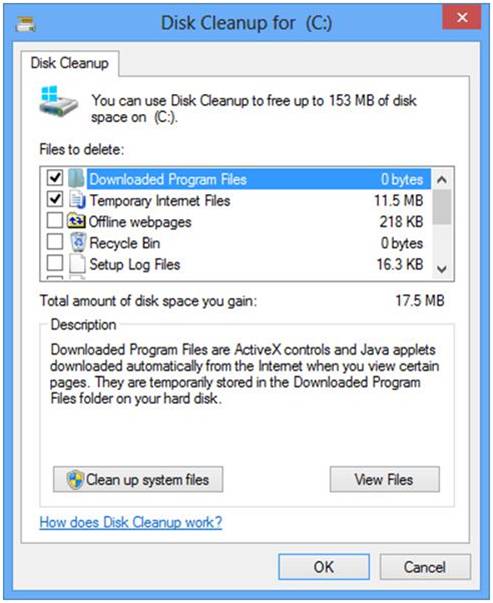
When people run complex operating systems like windows on their computers, it becomes mandatory, at one point, to attempt a disk clean-up. This procedure helps your computer get rid of files that you don’t always use. Such files are usually allocated to a temporary folder automatically by your computer. A disk clean-up will basically rid your computer of such files and this will help your computer run more smoothly as well as give you more free hard disk space. Some people may think that a disk clean-up may end up harming your computer program files and disrupting the efficiency of your computer processing but this is not the case as a disk clean-up only deletes files that are of no use to you or the computer itself.

computer-disk-defragmentation2) Disk Defragmentation.
A disk defragmentation allows the user to consolidate all fragmented files as well as folders into the computer hard disk. This allows each folder and file to occupy a singular, contiguous amount of space in the hard disk volume. This enables and allows the computer to free up more space in the hard disk as well as store new files and folders with more productive efficiency than before.

Computer-Software-cleanup3) Software clean-up
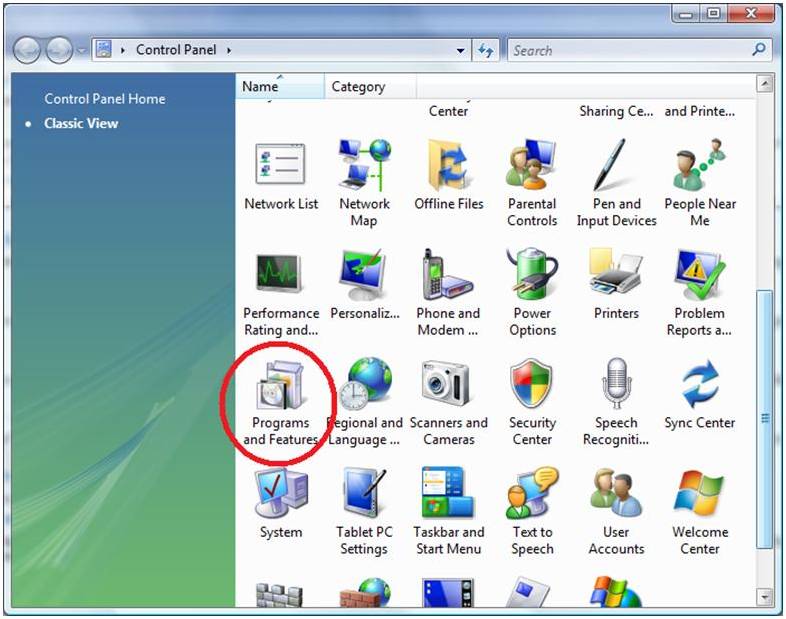
Software clean-up is necessary to unburden your computer from software that you don’t need at all. These software are usually add-ons and plugins that install themselves when you install software from online downloading forums. These software take up space as well as reduce the computer’s efficiency. Removing such software can allow your computer processing speed to boost up as well as enable your operating system to work faster than it usually would. To clean-up software from your computer, simply go to add or remove programs section in your control panel and remove any unwanted software you have stored on your computer.

If you have more questions related to computer maintenance, visit BytesPC and resolve your problems instantly! We also do Laptop repair services too.

Filed Under: Computer Maintenance

« Previous Page

Contact Us

Call/SMS Us: +65 9753 8449

Strictly By Appointment and On-site support Only.

Drop us an Enquiry and we will get back to you ASAP.

Message Sent

Thank you for your message, we will be in touch very shortly.

Sorry, there has been a problem and your message was not sent.

Please enter your contact details and a short message below and we will try to answer your query as soon as possible.

Blog Categories

  • Computer Maintenance (14)
  • Laptop Maintenance (1)
  • MacBook Pro Maintenance (2)

Contact Details

BytesPC
1 Alexandra View Singapore 158748 Tel: +65 9753 8449 (Strictly By Appointment and On-site support Only.)

About BytesPC

BytesPC is a Leading Computer Repair firm in Singapore that specializes in all kinds of Laptop, Desktop, MacBook Pro repairs and also Data recovery services.

It started from humble beginnings since 2003, from a one man show to presently, a team of 4 IT Engineers who are fully qualified and experienced to carry out any computer repair works. Initially, only dealing with residential households, we have since taken on commercial projects from SMEs and MNCs in Singapore.

Its founder, William Choy is a Certified CISCO Instructor in Computer system management and has since trained more than 50 foreign workers in Singapore.

BytesPC endeavor to exceed our clients’ expectations in all tasks and strive to resolve all your computer problems promptly.

Follow Us

  • Facebook
  • Google+
  • LinkedIn
  • Pinterest
  • Twitter

Recent Posts

  • Internet Browsers And Their Relation To Computer’s Virus Vulnerability December 4, 2014
  • 5 Common Symptoms Of An Infected Computer December 1, 2014
  • How to Setup Gmail Account On Microsoft Outlook 2013 November 27, 2014
  • Is your computer slow November 24, 2014
  • Computer Virus November 21, 2014

Call Us

Strictly By Appointment and On-site support Only. For Urgent issues, you can Call, SMS or Whats App us at +65 9753 8449.

Email: enquiry@bytespc.com or Just fill up the Contact form on the right and we will get back to you ASAP ! 🙂

Contact Us

Message Sent

Thank you for your message, we will be in touch very shortly.

Sorry, there has been a problem and your message was not sent.

Please enter your contact details and a short message below and we will try to answer your query as soon as possible.

Copyright © 2026 . BYTESPC . ALL RIGHTS RESERVED . COMPUTER REPAIR SINGAPORE . SITEMAP . Google+

Call Us
Whatsapp Us
SMS Us