Computer Repair Services Singapore

  • Home
  • About Us
  • Our Services
    • PC Computer Repair
    • Laptop Notebook Repair
    • MacBook Pro Repair
    • Data Recovery Services
  • Why Us
  • Blog
  • Contact Us

November 17, 2014 By William Choy

Computer Fails To Start

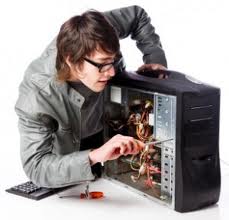
Nothing is more depressing than waking up to a computer that does not respond when you press the power button. If a computer fails to start, most people do not know what to do next before finding someone to do computer repair and laptop repair. This article gives a systematic guide of how to deal with such a situation.
Considering that the most critical parts of the machine-motherboard and CPU-could be faulty, it may even cause jitters to imagine about the possible cause of malfunction. So, what should you do when you have a “dead” computer?

Maybe the Computer is still Off
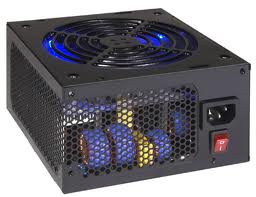
Computer Fails To StartOne scenario is when you switch on the computer, but nothing indicates power. This is when you neither hear the fans nor see any lights. In such an instance, the most likely cause of the problem is power. Studies show in most cases, the user has not turned the computer on. Check every switch on the computer to make sure it is ON before embarking on other troubleshooting options.

Hardware or Electrical Fault

Sometimes the computer will turn on, and immediately turn off. The fans and the lights turning on, and then stopping at once show this error. Still, nothing comes on the screen and you may not even hear the usual beeps that come with a computer switching on. If this is the case, the possible cause of the problem could be anything from a hardware malfunction to an electrical fault. Since the computer is shutting by itself when booting, computer repair calls for a systematic troubleshooting procedure. Therefore, first check the cause of the beep code, if you are lucky to hear one.

Blue Screen of Death (BSOD)
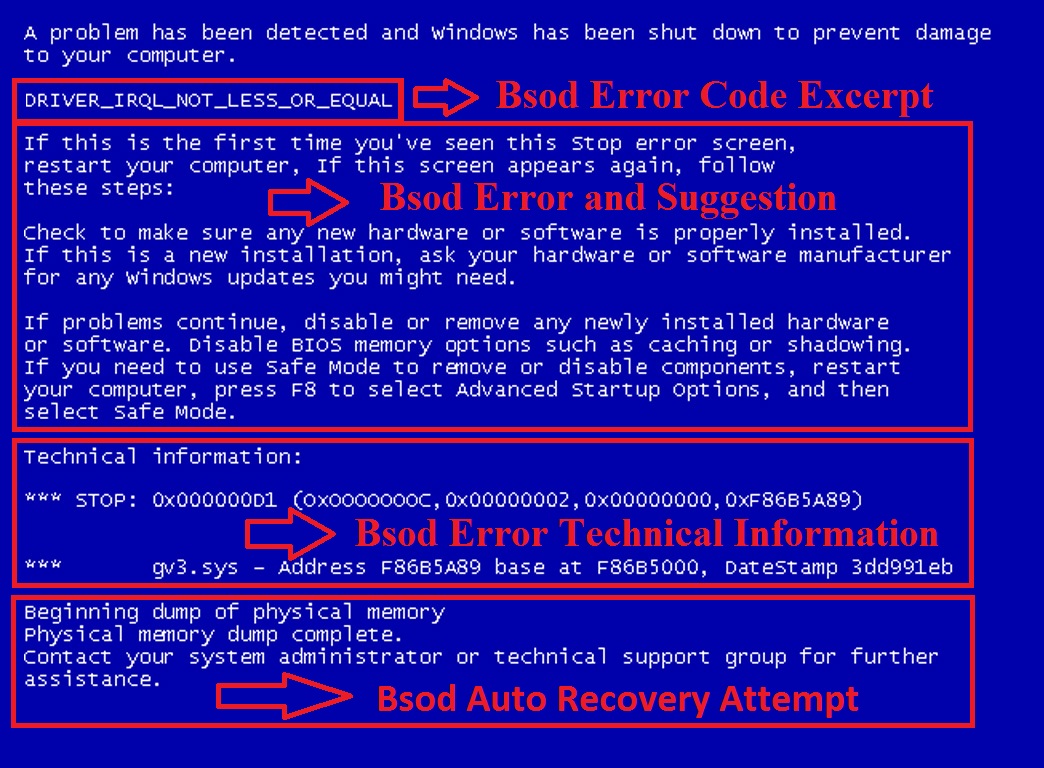
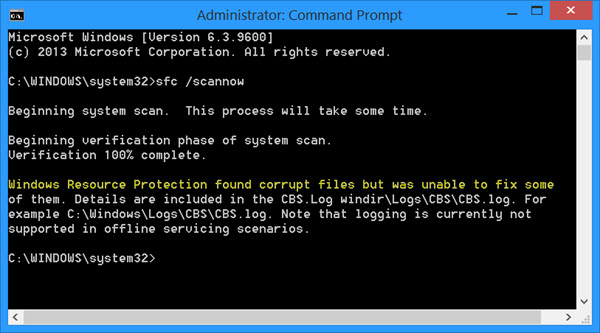
Computer Fails To Start 2In another scenario, the Windows starts the load process, but stops only to display a blue screen. This screen is usually referred to as the blue screen of death (BSOD). Being a hardware problem, the BSOD calls for a determination of the root cause of the problem. However, you may repair the computer by verifying and rectifying the availability of enough space in the partition, scanning the computer for viruses, updating computer drivers, ascertaining that the hardware settings in the Device Manager are in default, and updating the BIOS, among others.
Error Message

Many of us have experienced this error-the computer screen shows an error message. Error messages occur at any stage of the computer boot process before the Windows appears. Unlike what most people would think, an error message is very helpful for anyone having a malfunctioning computer. The error message points to exactly where the problem is. When you get an error message on your computer, document the message exactly and search for the solution using the countless troubleshooting and laptop repair guides offered by the manufacturer on the internet.
If you are still unable to get your computer back up, seek expert help from BytesPC today. We also do MacBook Pro repair and all kinds of computer repair services. If you need help in data recovery services for your hard disk, we can help too.
Filed Under: Computer Maintenance

November 13, 2014 By William Choy

Increase Performance Speed of Computer

The performance of a computer is mostly associated with how the computer components are able to work as a whole unit. Many people have a slow computer and have a fallacy that upgrading a single unit of the computer can improve its performance tremendously. Virus, spyware, and overloading the registry are some of the most important issues that affect the performance of a computer. Apart from the common upgrades to improve the performance, such as an increase in the size of RAM and Hard drive space, other measures can be taken to produce the same results. One should consider researching or even visit the computer or a MacBook Pro repair service provider to assist in undertaking this measure. It is because processes like overclocking a system can result in overheating of the CPU, hence rendering it useless.

BIOS

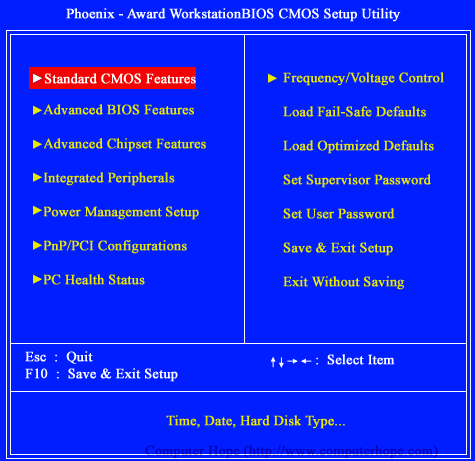
Increase Performance Speed of ComputerBasic Input Output System (BIOS) is a very important component in a computer, since it helps all the components like chips, ports, drives, CPU, and hardware to function as a single unit. In simple terms, BIOS is a type of software that is used to connect the computer’s operating system with its hardware components. In order to increase the speed of a Laptop, one can enable the Quick Boot option. By doing so, the BIOS ignores test, such as counting the system memory during startup, thereby increasing the startup speed. Otherwise, one can upgrade the BIOS to a newer version, since new hardware is evolving every day. If not certain about the upgrade, it is advised to visit a computer repair center to assist you.

SSD

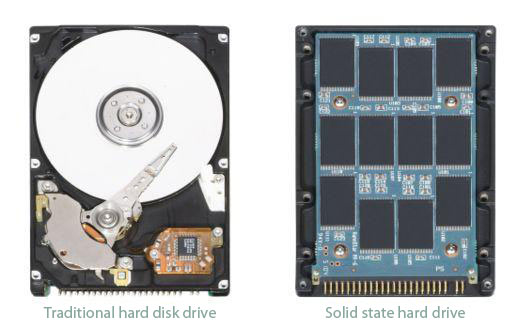
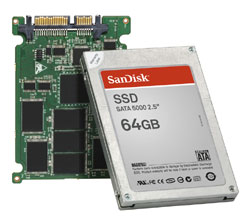
Increase Performance Speed of Computer 2Upgrading from the traditional hard drive to the Solid State Drive (SSD) is also worth considering while improving the performance of a computer. Although the SSD does not have much storage capacity as the traditional hard drive, they can speed up a computer’s boot time and launch of applications. This is because the SSD has no moving parts. Unlike a hard drive, SSD is reliable, as SSD does not suffer from shock or drop damage, which saves the investment of your valuable time in data recovery services to recover information that may be lost due to hard drive crash.

CPU

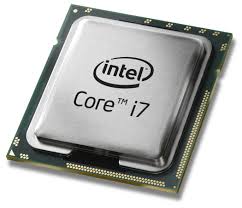
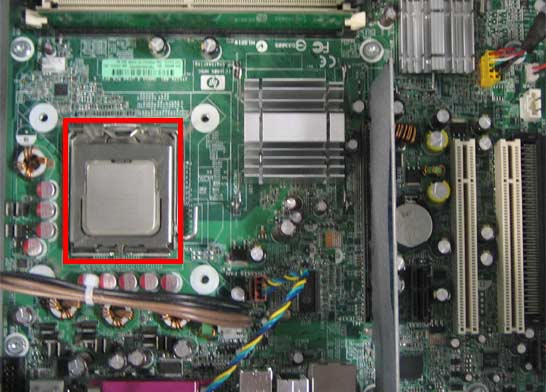
Increase Performance Speed of Computer 3Upgrading Central Processing Unit (CPU) to a faster one can help boost a computer’s performance. Upgrading to a multi-core processor can also assist the computer to handle multitasking better. Before upgrading the CPU, once should visit a professional laptop repair center to assist you in knowing, which processor is compatible with the computer’s motherboard. Random Access Memory (RAM) should also be considered for upgrading to a faster processor, but for a laptop with insufficient RAM capacity, will have a negligible change in the performance.

Overclocking

Overclocking is another method to increase the performance of a computer. One can overclock the computer system by using BIOS in order to stretch its performance limit without having to buy new hardware. Overclocking a computer can increase the performance, but this leads to increase in heat produced by the components, hence one will need additional cooling mechanism and care. This process is very risky and it is best to back up important data before trying to overclock the system.

Filed Under: Computer Maintenance

November 10, 2014 By William Choy

Increase The Speed Of Your PC Like A Professional

Having trouble with your computer lately and you cannot seem to find the solution to your problem?
Since most of the computer repair services just require software tweaking, here are some operations which might help you with optimization of the computer performance.

Start up applications

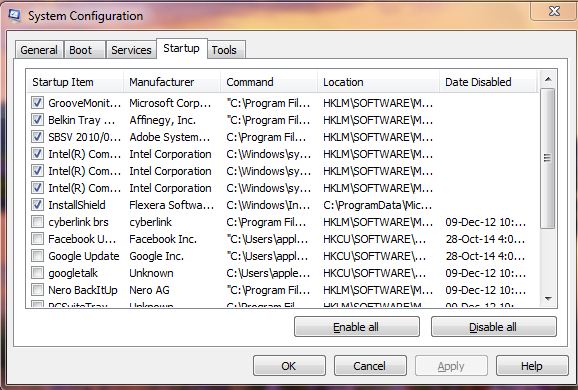
Increase The Speed Of Your PC Like A ProfessionalUnnecessary applications that have been installed a while ago, which you do not use can eat up most the processing power of a computer which is crucial, but the worst part is that they run in the background without the user knowing it.
Simply uninstalling all the unused application might be a good idea, but if you are thinking that they will be useful in the future, here is the solution. Disable them at the start up menu and they won’t eat up the processing power and you can fire them up whenever you want them.
• Press the start button
• Type in msconfig
• In the system configuration, select startup tab
• Simply uncheck all the application which you do not use
• There will be a surge in the computer performance, which will be noticeable

Keep your computer disk clean

Increase The Speed Of Your PC Like A Professional 2Over the lifetime of a computer, all the unnecessary files, will pile up in the hard disk drives. In these clusters of data, there remain some registry files and data files which will hinder the performance of the computer.
You can find many applications to clean up all these empty registry files along with the rest of the junk. Another important thing is to never fill up your entire hard disk up to its full extent; this may also hamper the system performance.
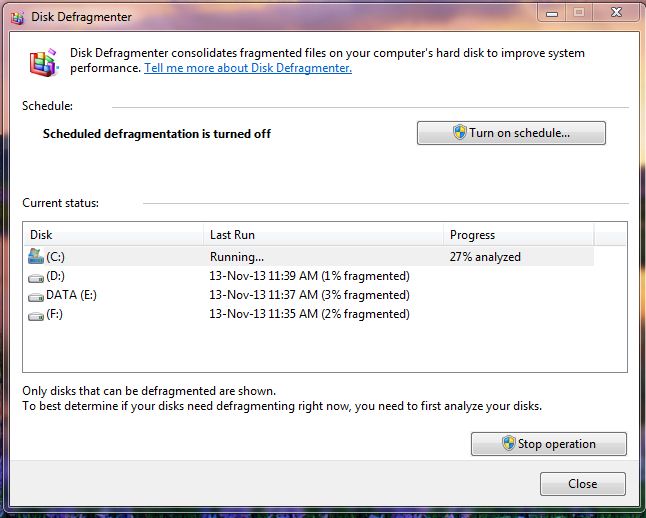
Defragmentation of the HDD is also another method to increase the performance of an operating system by giving it access to the stored files in an easier way.

• Disk Defragmenter can be done by clicking the Start button. Press in Disk Defragmenter, and then select disk defragmentation
• Select the drive which you want to defragment, it is advisable to select all the existing drives for better performance in the current status
• You also have an option to analyze the disk to check the performance condition of your hard disk, this can be done by selecting the option “analyze disk”
• After analyzing the disk, Health bar shows the fragmentation percentage, if its above 10%, defrag the disk
• You can use third party software or visit a Computer repair or Laptop repair center to get this job done in a much simpler way if you should prefer

Hardware Degradation

The problem sometimes lies in a faulty physical component such as defective drives, damaged memory sticks, rusted connectors, cooling mechanism malfunction etc., which can lead to a decreased performance. Ensure adequate air flow into the machine and keep an eye on overheating incidents, and if such incidents occur frequently, you might need to approach your computer repair technician to change the heat sync system of your PC.
Regular maintenance of your computer is a must for its heightened performance, conduct regular checkups for virus, registry files and other unwanted junk to remove them immediately.

Filed Under: Computer Maintenance

November 6, 2014 By William Choy

Speed Up Your Computer without Spending Much

It will be really a frustrating experience when your computer, which is only a few years old consumes much time in performing basic operations. It can be disappointing to see once a super fast machine becoming so sluggish and crashes often making it necessary for you to visit data recovery services to get back your valuable data.

The reasons can be many, from simple software issues to more serious hardware malfunction. Let’s have a closer look at them.

Software issues

Speed Up Your Computer without Spending MuchA corrupted or damaged operating system can have great impact on the performance speed of your computer and it is the prime reason for unexpected system crashes. In addition, an operating system that is too old can make your system comparatively sluggish. In Most cases, updating or re-installing the OS at a computer repair center can solve the problem faster, but in certain occasions, the change in the speed can be insignificant. Also, regularly scan the system for malware and virus as these unwanted programs can misuse the system resources and affect the performance.

Common Hardware issues

Upgrading different computer hardware can help you to eliminate the sluggishness of the computer. The components that most commonly upgraded are:

RAM

RAM is one of the important components in the system that has great influence on the speed and performance. If the amount of memory installed in your system is low, it can affect the speed when running resource intensive applications. Adding more RAM and choosing faster modules, for instance, going from 70ns memory to 60ns can improve the performance speed of your system considerably. It is the quickest and cheapest upgrade to your computer compared to other hardware upgrades and can be carried out in a few minutes at any Computer repair or Laptop repair center.

Hard Drive

Speed Up Your Computer without Spending Much 2Though the size of the HDD has no direct link with the speed of the system, a fragmented disc can drastically slow down the overall performance. This may especially occur if you used to install and uninstall applications too often. In such cases, you can regain the speed by running the disc defragment tool periodically. In addition, upgrading the HDD with latest high RPM drives or new generation SSD can provide a big leap in the system performance. However, it is a job that requires professional expertise, so it is recommended to seek the service of a computer repair technician to perform this kind of hardware upgradation.

CPU

Speed Up Your Computer without Spending Much 3Replacing the CPU is another option and upgrading to a faster version of the current processor can greatly improve the performance. It is especially helpful to those who use processor intensive software, such as video and audio encoding and gaming. However, there can be potential compatibility issues, and you should be cautious to ensure that the motherboard supports the new processor. If you are not sure, consult your computer repair service provider to find the faster and compatible CPU for your computer. Besides, replacing CPU is a complex process and demands great set of technical skills, so assign the job to a trusted PC repair or Laptop repair professional.

Periodic Maintenance

Periodic and preventive maintenance can help you to keep your system in blazing speeds. It will keep all the connectors and contacts in good condition, ensuring better data transfer between different devices and drives. Proper dusting provides better efficiency to the CPU cooler, which in return improves the CPU performance and enhance its life expectancy by many folds.

Filed Under: Computer Maintenance

November 3, 2014 By William Choy

How will data recovery service help me

Data recovery services are all about restoring your data and creating a backup in order to save you from unwanted data losses ever again in the future. Data losses usually occur when you sell a laptop and buy a new one. Not being limited to this mentioned situation, data losses also occur when you ask for a computer repair where you ask an entire window change with the hard disk being formatted completely. Speaking of which, hard disk corruption, which occurs rarely, is also a factor for loss of data. All these data loss factors allow the needs of data recovery and these factors will be described in full detail below.

1) Hard disk failure
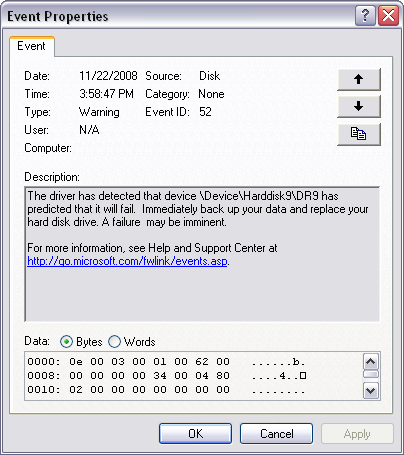
How will data recovery service help meHard disk is where your operating system is stored as well as anything else, ranging from picture and videos to files and documents, are stored. If your hard disk gets corrupted or fails without notice, you are left to worry about the unwanted data loss that has just occurred to you. In this manner, data recovery plays a very important part as it can literally scratch back all data, even from a corrupted hard disk, and let you access it again although this laptop repair procedure takes time and is expensive, it allows you to regain as well as reuse your data which you were convinced of never seeing again.

2) Window corruption
How will data recovery service help me 2Window corruption occurs if it fails due to a technical file missing from its partition or if it is infiltrated with spyware, Trojan horse viruses, win32 application viruses, malware or any other kind of virus that is lethal. This causes all information that was stored in your window to be removed and destabilized. In this manner of circumstances, data recovery services allow you to recover all lost data from a backup file that is created within the computer system and hard disk, irrelevant to any window operations. This method has been highly successful in protecting all data and any kind of data that you process on your laptop or PC. Backups can be created manually by the user but such backups are subject to the high validity and reliability that is given via data recovery backup methods.

3) Repairing PC
How will data recovery service help me 3If any part of your PC stops working at one point or the other or if you are told to sell your PC or get it repaired and updated, there are a lot of chances that your PC will lose almost all of your data or at least some of your data that you want to keep. In this case, data recovery is applied before the repairing begins and is sure to create a backup of all important files that you want to keep with yourself after the repairing is over a new window is installed.

BytesPC specializes in all kinds of Computer repair services in Singapore so do not hesitate to contact us should you face any computer issues.

Filed Under: Computer Maintenance

« Previous Page
Next Page »

Contact Us

Call/SMS Us: +65 9753 8449

Strictly By Appointment and On-site support Only.

Drop us an Enquiry and we will get back to you ASAP.

Message Sent

Thank you for your message, we will be in touch very shortly.

Sorry, there has been a problem and your message was not sent.

Please enter your contact details and a short message below and we will try to answer your query as soon as possible.

Blog Categories

  • Computer Maintenance (14)
  • Laptop Maintenance (1)
  • MacBook Pro Maintenance (2)

Contact Details

BytesPC
1 Alexandra View Singapore 158748 Tel: +65 9753 8449 (Strictly By Appointment and On-site support Only.)

About BytesPC

BytesPC is a Leading Computer Repair firm in Singapore that specializes in all kinds of Laptop, Desktop, MacBook Pro repairs and also Data recovery services.

It started from humble beginnings since 2003, from a one man show to presently, a team of 4 IT Engineers who are fully qualified and experienced to carry out any computer repair works. Initially, only dealing with residential households, we have since taken on commercial projects from SMEs and MNCs in Singapore.

Its founder, William Choy is a Certified CISCO Instructor in Computer system management and has since trained more than 50 foreign workers in Singapore.

BytesPC endeavor to exceed our clients’ expectations in all tasks and strive to resolve all your computer problems promptly.

Follow Us

  • Facebook
  • Google+
  • LinkedIn
  • Pinterest
  • Twitter

Recent Posts

  • Internet Browsers And Their Relation To Computer’s Virus Vulnerability December 4, 2014
  • 5 Common Symptoms Of An Infected Computer December 1, 2014
  • How to Setup Gmail Account On Microsoft Outlook 2013 November 27, 2014
  • Is your computer slow November 24, 2014
  • Computer Virus November 21, 2014

Call Us

Strictly By Appointment and On-site support Only. For Urgent issues, you can Call, SMS or Whats App us at +65 9753 8449.

Email: enquiry@bytespc.com or Just fill up the Contact form on the right and we will get back to you ASAP ! 🙂

Contact Us

Message Sent

Thank you for your message, we will be in touch very shortly.

Sorry, there has been a problem and your message was not sent.

Please enter your contact details and a short message below and we will try to answer your query as soon as possible.

Copyright © 2026 . BYTESPC . ALL RIGHTS RESERVED . COMPUTER REPAIR SINGAPORE . SITEMAP . Google+

Call Us
Whatsapp Us
SMS Us